研究級 EdgeBench 分析:AI 代理基準測試、排行榜分析、縮放法則與評估指標
重點摘要
在本教程中,我們將 EdgeBench 作為一個實用的基準測試,用以評估各類任務類別、執行環境及互動時間預算下的先進 AI 代理。首先,我們從 Hugging Face 下載資料集快照,解析已發布的任務規格,並檢視基準測試分類、執行設定、網路需求、評判邏輯與評分元數據。接著,我們直接從儲存庫 README 中提取排行榜資料,標準化模型名稱,將任務級結果轉換為可分析格式,並比較多個時間預算下的效能表現。最後,我們擬合對數- sigmoid 縮放曲線,衡量各類別分數改進情況,檢視進步最大的任務,並研究 SForge 重新縮放函數如何轉換原始數據。
In this tutorial, we explore EdgeBench as a practical benchmark for evaluating advanced AI agents across diverse task categories, runtime environments, and interaction-time budgets. We begin by downloading the dataset snapshot from Hugging Face, parsing the released task specifications, and examining the benchmark taxonomy, execution settings, internet requirements, judging logic, and scoring metadata. We then extract the leaderboard data directly from the repository README, standardize model names, reshape task-level results into an analysis-ready format, and compare performance across multiple time budgets. Finally, we fit log-sigmoid scaling curves, measure category-level score improvements, inspect the tasks with the largest gains, and study how SForge rescale functions transform raw evaluation outputs into normalized benchmark scores. Copy CodeCopiedUse a different Browser!pip -q install "huggingface_hub>=0.23" pandas numpy scipy matplotlib pyyaml import os, glob, json, textwrap, warnings import numpy as np, pandas as pd import matplotlib.pyplot as plt from scipy.optimize import curve_fit from huggingface_hub import snapshot_download warnings.filterwarnings("ignore") pd.set_option("display.max_colwidth", 90) pd.set_option("display.width", 160) REPO_ID = "ByteDance-Seed/EdgeBench" TIME_BUDGETS = [2, 4, 6, 8, 10, 12] MODELS = ["Claude Opus 4.8", "GPT-5.5", "GPT-5.4", "GLM-5.1", "DS-V4-Pro"] def banner(t): print("\n" + "=" * 78 + f"\n {t}\n" + "=" * 78) def canon_model(name): n = name.lower() if "opus" in n: return "Claude Opus 4.8" if "5.5" in n: return "GPT-5.5" if "5.4" in n: return "GPT-5.4" if "glm" in n: return "GLM-5.1" if "ds-v4" in n or "deepseek" in n: return "DS-V4-Pro" return name banner("1. DOWNLOADING DATASET SNAPSHOT") local_dir = snapshot_download(repo_id=REPO_ID, repo_type="dataset") print("Snapshot cached at:", local_dir) We install the required Python libraries, import the analytical tools, and configure the notebook display settings. We define the dataset repository, interaction-time budgets, model names, and helper functions to format output and standardize model labels. We then download the complete EdgeBench dataset snapshot from Hugging Face and store its local cache path for the remainder of the workflow. Copy CodeCopiedUse a different Browserbanner("2. LOADING TASK SPECIFICATIONS") def flatten_task(d): work, judge = d.get("work", {}) or {}, d.get("judge", {}) or {} rescale = judge.get("rescale", {}) or {} return { "task_id": d.get("task_id"), "name": d.get("name"), "category": d.get("category"), "base_image": d.get("base_image"), "internet": d.get("internet"), "game_mode": d.get("game_mode", False), "cwd": d.get("cwd"), "n_submit": len(d.get("submit_paths", []) or []), "submit_paths": ", ".join(d.get("submit_paths", []) or []) or "(interactive)", "parser": judge.get("parser") or "(game)", "score_dir": judge.get("score_direction", "n/a"), "selection": judge.get("selection"), "eval_timeout": judge.get("eval_timeout"), "rescale_kind": rescale.get("kind"), "rescale": rescale, "agent_query": work.get("agent_query", "") } records = [] for fp in sorted(glob.glob(os.path.join(local_dir, "*.json"))): try: with open(fp) as f: records.append(flatten_task(json.load(f))) except Exception as e: print(" ! skipped", os.path.basename(fp), "->", e) df = pd.DataFrame(records).dropna(subset=["task_id"]).reset_index(drop=True) print(f"Loaded {len(df)} task specifications.\n") print(df[["task_id", "category", "base_image", "internet", "rescale_kind"]].head(10).to_string(index=False)) banner("3. BENCHMARK TAXONOMY") print("Tasks per category:\n", df["category"].value_counts().to_string(), "\n") print("Runtime (base_image):\n", df["base_image"].value_counts().to_string(), "\n") print("Judge rescale kinds:\n", df["rescale_kind"].value_counts(dropna=False).to_string(), "\n") print(f"Tasks needing internet: {int(df['internet'].sum())} | game_mode tasks: {int(df['game_mode'].sum())}") fig, ax = plt.subplots(1, 2, figsize=(13, 4.2)) df["category"].value_counts().plot.barh(ax=ax[0], color="#4C78A8") ax[0].set_title("Released tasks per category (51)") ax[0].invert_yaxis() df["base_image"].value_counts().plot.bar(ax=ax[1], color="#F58518") ax[1].set_title("Runtime environment") ax[1].tick_params(axis="x", rotation=45) plt.tight_layout() plt.show() banner("3b. ANATOMY OF ONE TASK") s = df.iloc[0] print(f"task_id: {s.task_id} | category: {s.category} | base_image: {s.base_image}") print(f"judge parser: {s.parser} | rescale: {s.rescale_kind} -> {s.rescale}") print("\n--- agent_query (truncated) ---") print(textwrap.fill(s.agent_query[:800], width=96)) We parse every task specification into a structured table containing its category, runtime image, internet access, submission paths, judge configuration, and agent query. We summarize the benchmark taxonomy by counting tasks across categories, execution environments, rescaling methods, and game modes. We also visualize these distributions and inspect one representative task to understand how an EdgeBench evaluation is defined. Copy CodeCopiedUse a different Browserbanner("4. PARSING THE LEADERBOARD") readme = open(os.path.join(local_dir, "README.md"), encoding="utf-8").read() def unescape(x): return x.replace("\\_", "_").replace("\\", "").replace("*", "").strip() def to_float(x): x = x.replace("*", "").strip() return np.nan if x in ("", "—", "-") else float(x) def extract_md_tables(md): tables, cur = [], [] for ln in md.splitlines(): s = ln.strip() if s.startswith("|"): cur.append([unescape(c) for c in s.strip("|").split("|")]) elif cur: tables.append(cur) cur = [] if cur: tables.append(cur) return [[r for r in t if not all(set(c) <= set("-: ") for c in r)] for t in tables if t] tables = extract_md_tables(readme) def parse_series(cell): parts = cell.split("/") if len(parts) != len(TIME_BUDGETS): return None try: return [to_float(p) for p in parts] except ValueError: return None long_rows = [] for tbl in tables: head = tbl[0] if head and head[0].lower() == "task" and any("categ" in h.lower() for h in head): model_cols = [canon_model(m) for m in head[2:]] for row in tbl[1:]: if len(row) != len(head): continue for mname, cell in zip(model_cols, row[2:]): series = parse_series(cell) if series is None: continue for t, sc in zip(TIME_BUDGETS, series): long_rows.append({ "task": row[0], "category": row[1], "model": mname, "hours": t, "score": sc }) scores = pd.DataFrame(long_rows) print( f"Parsed {scores['task'].nunique()} tasks x " f"{scores['model'].nunique()} models x " f"{len(TIME_BUDGETS)} budgets = {len(scores)} cells." ) agg_time, groups, cur = [], [], [] for tbl in tables: head = tbl[0] if head and "model" in head[0].lower() and any("@2h" in h for h in head): cols = head[1:] for row in tbl[1:]: if len(row) == len(head): rec = {"model": canon_model(row[0])} rec.update({c: to_float(v) for c, v in zip(cols, row[1:])}) cur.append(rec) groups.append(cur) cur = [] agg51 = pd.DataFrame(groups[1] if len(groups) > 1 else (groups[0] if groups else [])) if not agg51.empty: print("\nREADME aggregate (51-task subset):") print(agg51.to_string(index=False)) We read the repository README and extract its Markdown tables into structured Python records. We convert the task-level leaderboard into a tidy dataset containing task, category, model, interaction time, and score values. We also parse the aggregate 51-task leaderboard table to compare the README summary with our task-level calculations. Copy CodeCopiedUse a different Browserbanner("5. LOG-SIGMOID SCALING LAW (fit on per-task means -> robust)") def log_sigmoid(t, lo, hi, k, t0): return lo + (hi - lo) / (1.0 + np.exp(-k * (np.log(t) - np.log(t0)))) def r2(y, yhat): ssr = np.nansum((y - yhat) ** 2) sst = np.nansum((y - np.nanmean(y)) ** 2) return 1 - ssr / sst if sst > 0 else np.nan agg = ( scores.groupby(["model", "hours"])["score"] .mean() .unstack("hours") .reindex(index=MODELS)[TIME_BUDGETS] ) print("Per-task mean by model & hour:\n", agg.round(2).to_string(), "\n")
Related
相關文章

AI Agent 要自己刷卡了,但「AI 支付寶」比想象中更難做,為什麼?
這篇消息聚焦「AI Agent 要自己刷卡了,但「AI 支付寶」比想象中更難做,為什麼?」。目前站內已移除先前混入的模型思考或安全判斷文字,並保留來源可確認的主題供讀者追蹤。

大廠肉搏WAIC:阿里、騰訊當面對擂,智能體入口卡位戰全線開打
在今年的世界人工智能大會(WAIC)上,中國科技巨頭之間的競爭進一步白熱化,阿里巴巴與騰訊兩大陣營直接對壘,將智能體(AI Agent)視為下一階段爭奪的核心入口。會場內外,雙方不僅展示各自的模型能力,更把焦點放在如何讓AI從「被動回答」進化為「主動執行任務」的智能體應用上,意圖搶佔用戶與企業服務的第一道關卡。 這場智能體入口卡位戰的背後,本質上是一場關於「自主進化」能力的競賽。
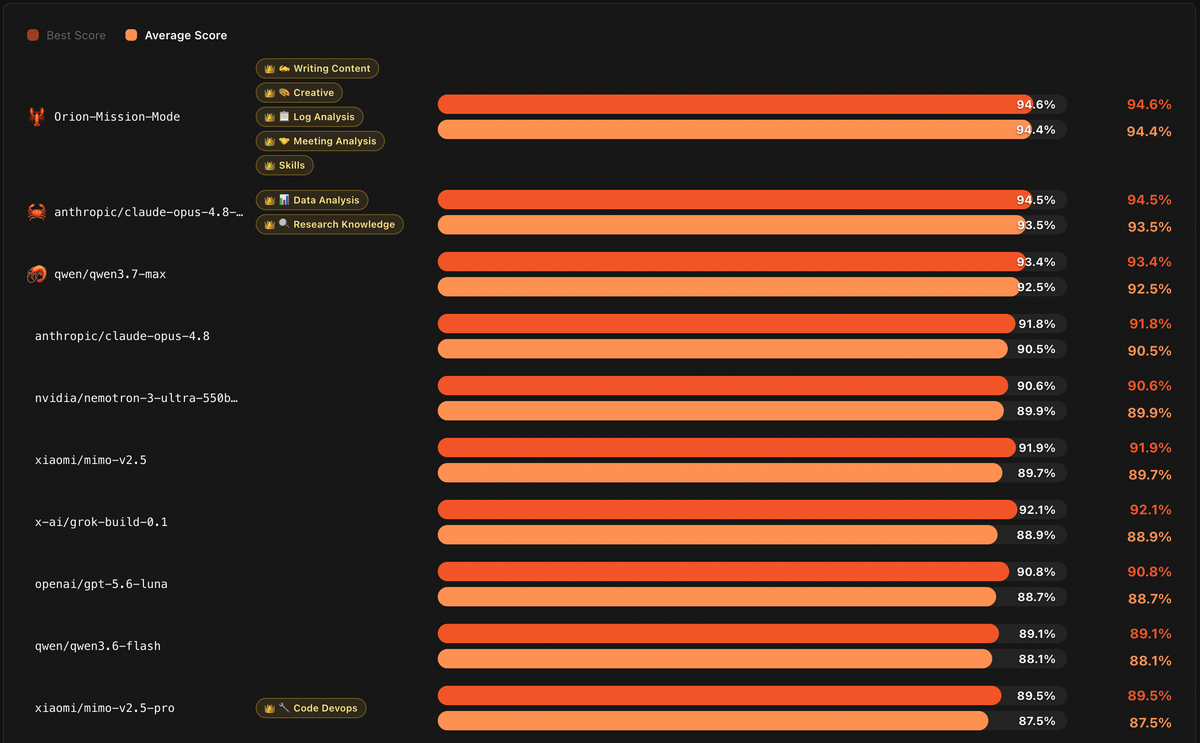
百度文心助手任務Agent登頂國際權威榜單,超越Claude、GPT拿下全球智能體冠軍
< img id="wx_img" src="https://www.qbitai.com/wp-content/uploads/imgs/qbitai-logo-1.

生命週期約 16 個月:微軟 Copilot 應用下月移除深度研究和播客 AI 智能體
首頁 > 智能時代>人工智能 生命週期約 16 個月:微軟 Copilot 應用下月移除深度研究和播客 AI 智能體 2026/7/22 13:30:42 來源:IT之家 作者:故淵 責編:故淵 評論: IT之家 7 月 22 日消息,科技媒體 Neowin 今天(7 月 22 日)發佈博文,報道稱微軟計劃 8 月 18 日在消費級 Copilot 應用中。
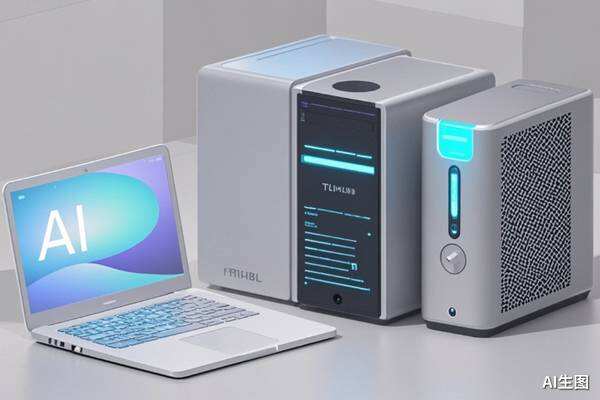
AI PC過時了,AC一夜爆發,Agent真的需要專屬電腦?
AMD提出Agent Computer(AC)概念,專為AI Agent長期運行設計,主打始終在線、始終可用。多家廠商在WAIC展示相關產品,但AC對普通用戶需求有限,更適合開發者與內容團隊。AC與PC將共存,不會全面取代傳統個人電腦。

我在WAIC 2026看見的十大趨勢
WAIC 2026 展現出 AI 從展示轉向實用,智能體(Agent)成為主流,能完成具體任務才是關鍵。基座模型競爭進入半決賽,各家策略明顯分化;世界模型與具身智能成為新焦點,機器人開始在真實場景中實際工作。