利用 CUGA 打造真正的代理應用:輕量框架上的 24 個實作範例
重點摘要
建構一個代理大多涉及管線工作:工具、狀態、護欄、從單一代理擴展到多個代理。CUGA(pip install cuga),全名為可配置通用代理(Configurable Generalist Agent),是 IBM 為企業打造的代理框架,能處理這些繁瑣環節,讓你只需撰寫工具清單與提示詞。我們建構了 24 個單一檔案應用來證明這一點。本文將完整介紹其中一個應用,並展示相同的代理如何在生產環境中以主權治理的方式運作。
Back to Articles Build real agentic apps using CUGA: two dozen working examples on a lightweight harness Enterprise Article Published June 23, 2026 Upvote - Anupama Murthi anupamamurthi Follow ibm-research Hamid Adebayo harmedox Follow ibm-research Sami Marreed samimarreed Follow ibm-research Praveen praveenv Follow ibm-research Asaf Adi AsafAdi Follow ibm-research TL;DR — Building an agent is mostly plumbing: tools, state, guardrails, scaling from one agent to many. CUGA (pip install cuga), short for Configurable Generalist Agent, the Agent Harness for the Enterprise from IBM handles that, so you write just a tool list and a prompt. We built two-dozen single-file apps to prove it. Read one end to end here, then see how the same agent runs sovereign and governed in production without a rewrite. Most agentic apps start with a week of plumbing before the agent does anything useful. You pick a framework, wire up a model client, write tool adapters, build some way to stream state to a UI, and somewhere in there you also decide what the agent is actually for. The interesting part arrives last. CUGA inverts that. It's the open-source agent harness from IBM that handles the planning, the execution loop, the tool calls, and the state plumbing for you. What's left is the part that's actually yours: which tools the agent can reach, and what you tell it to do. To show what that feels like in practice, we built cuga-apps: two dozen small, working apps, each a single FastAPI file wrapping one CugaAgent, from a movie recommender to an IBM Cloud architecture advisor. They exist to be read and copied.You can click through the live gallery. This article walks through one of them, names what the harness takes off your plate, and shows where the same code goes when you need it governed for production. No new framework to learn first. If you've written a FastAPI route, you can read every line. Why a harness, not a framework The fair question to ask of anything in this space is what it saves you from writing. CUGA's answer: the orchestration around a model that you'd otherwise rebuild every time. It plans before it acts, then executes with a mix of tool calls and generated code (CodeAct). On a long task that runs twenty steps, the thing that breaks most agents is losing track of intermediate results and re-deriving them (often wrong) on the next turn; CUGA holds that state and runs a reflection step that can catch a bad call and re-plan instead of barreling ahead. That machinery is why it has topped agent benchmarks like AppWorld and WebArena rather than something you tune by hand. You also set the cost/latency tradeoff from config rather than code: Fast, Balanced, and Accurate reasoning modes, with code execution in whatever sandbox you trust (local, Docker/Podman, or E2B cloud). Same agent definition, different dial. That dial matters more than it sounds. Most harnesses assume a frontier model sits underneath and lean on it to recover when a plan goes sideways; CUGA does that work itself. The planning, the reflection step, the variable-tracking that keeps a long run on course — that's the harness carrying load the model would otherwise have to, which is what lets a smaller open-weight model hold up where it normally wouldn't. It's why the hosted apps run on gpt-oss-120b rather than a frontier API. Running the biggest model you can call is the usual bet; CUGA's is that a smaller open one is enough. None of the individual pieces is unique to CUGA. What's different is that they come pre-assembled, so you configure them instead of wiring them together. The API you touch is small — build a CugaAgent with a tool list and a prompt, then await agent.invoke(...). Everything below that line is the harness. Concretely, that's interchangeable tools (OpenAPI, MCP, and LangChain functions all bind the same way), long-horizon planning with variable management and self-correction (the machinery behind #1 on AppWorld from 07/25 - 02/26 and WebArena from 02/25 - 09/25), declarative guardrails, multi-agent delegation over A2A, Docling-powered RAG, and one-env-var provider switching (pip install cuga, then OpenAI, watsonx, Ollama, and more) — each something you'd otherwise build yourself. The first word of the name does the work: Configurable; the hard parts are handled, so your job is just the task. One app, start to finish Here's the IBM Cloud advisor — an agent that recommends real IBM Cloud services for an architecture. The whole thing fits in one file: a main.py with the agent factory, the tools, and the prompt, plus a small UI. The whole agent is this: def make_agent(): from cuga import CugaAgent from _llm import create_llm return CugaAgent( model=create_llm( provider=os.getenv("LLM_PROVIDER"), model=os.getenv("LLM_MODEL"), ), tools=_make_tools(), special_instructions=_SYSTEM, cuga_folder=str(_DIR / ".cuga"), ) Four arguments. The model comes from a small factory (create_llm) that speaks to OpenAI, Anthropic, watsonx, LiteLLM, or Ollama depending on an environment variable. Nothing in the app code knows which model sits behind it. The cuga_folder is where this app keeps its state and any policies. The two arguments that carry the app are tools and special_instructions. The tools mix a local function with a hosted one: def _make_tools(): from langchain_core.tools import tool @tool def search_ibm_catalog(query: str) -> str: """Search the IBM Cloud Global Catalog for real IBM Cloud services. Always call this before recommending services to verify they exist.""" ... # hits the catalog API, returns JSON from _mcp_bridge import load_tools web_tools = load_tools(["web"]) return [search_ibm_catalog, *web_tools] There's a pattern here that holds across every app: a split between MCP tools and inline tools. Generic, stateless capabilities come from shared MCP servers; load_tools(["web"]) pulls in web search without you hosting anything. Anything specific to this app gets defined inline as a normal Python function, like search_ibm_catalog, whose docstring is what the agent reads to decide when to call it. You write the one tool that's yours and borrow the rest. The cloud advisor's prompt tells the agent to search the catalog before naming any service, recommend three to seven services with each one's role in the design, and never invent service names. That last rule earns its keep: an agent recommending IBM Cloud services that don't exist is worse than no agent, so the prompt forces every recommendation through a catalog lookup first. Prompts written as ordered steps with explicit "don't make things up" rules behave; prompts written as personas wander. That's the app. A tool, a procedure, four lines of constructor. The FastAPI routes around it are ordinary web code: the browser posts a question to /ask, and the live panel polls a /session/{thread_id} endpoint for state. There's no database; state is a per-thread_id Python dict that only the agent writes to, through its tools. The moment the agent calls a tool mid-run, the panel redraws. The UI isn't a second copy of the logic; it's a view onto state the agent mutated. The convention that does the heavy lifting One detail is easy to skip and turns out to be load-bearing: every inline tool returns the same small envelope. Success looks like {"ok": true, "data": {...}}; failure looks like {"ok": false, "code": "...", "error": "..."}. It looks like boilerplate. It isn't. CUGA's planner handles a declared failure gracefully ("geocoding didn't return anything, skip that section and keep going") and chokes on an undeclared one, where a raw stack trace bubbles up mid-plan and the run derails. Across the apps, the ones that worked reliably were the ones whose tools never threw a bare exception at the agent. A boring convention, but it's the difference between an agent that recovers and one that face-plants. The split above only pays off because the generic half is already running somewhere. The capabilities the apps reach for over and over — web sear
Related
相關文章

雲計算一哥,讓小鵬、Kimi和獵豹都爽了一把
這篇消息聚焦「雲計算一哥,讓小鵬、Kimi和獵豹都爽了一把」。原始導語提到:Agentic AI爆發的拐點已然來臨 從 AI 情報角度來看,這類內容值得關注其背後的技術進展、產品落地、產業競爭與後續市場影響。
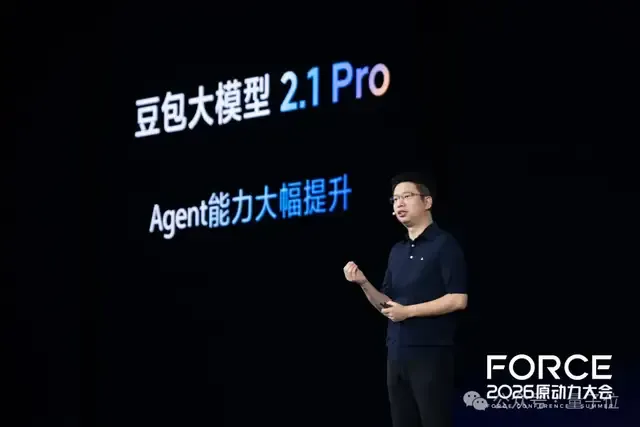
剛剛,豆包2.1發佈!Agent自己跑18個小時搞定芯片設計代碼
這篇消息聚焦「剛剛,豆包2.1發佈!Agent自己跑18個小時搞定芯片設計代碼」。原始導語提到:編程比肩Opus 4.7 從 AI 情報角度來看,這類內容值得關注其背後的技術進展、產品落地、產業競爭與後續市場影響。
當AI智能體走進伊利一線服務,導購和達人營銷有了新解法
這篇消息聚焦「當AI智能體走進伊利一線服務,導購和達人營銷有了新解法」。原始導語提到:面對越來越專業的消費者,伊利把AI智能體放進導購、社群、達人營銷等快消一線場景,藉助騰訊雲智能體開發平臺ADP 從 AI 情報角度來看,這類內容值得關注其背後的技術進展、產品落地、產業競爭與後續市場影響。

QQ 郵箱 Agently Mail 目前支持 OpenClaw 等主流 Agent,騰訊張軍稱後續會開放更多平臺
騰訊 QQ 郵箱推出專為 AI 智能體設計的 Agently Mail 服務,目前支援 WorkBuddy、OpenClaw、豆包超能模式等主流 Agent。騰訊公關總監張軍表示,後續將持續開放更多平台。

Loop Engineering 火了:AI Agent 開始自己幹活,公司準備好背鍋了嗎?
Loop Engineering 近期引發關注,其核心在於重新定義產品、測試、研發與專案管理之間的權責界線。隨著 AI Agent 開始自主執行任務,企業必須正視責任歸屬問題,提前做好風險應對準備。

Home Assistant 鬧了個 AI 烏龍,但智能家居真要變天了
Home Assistant 近期發生一起 AI 操作失誤事件,但此舉反而凸顯出智慧家居領域即將迎來重大變革。儘管這次烏龍引發討論,卻顯示出 AI 整合在家居控制中的潛力與風險並存。整體而言,智慧家庭的未來發展方向已日漸明朗。