NVIDIA cuTile Python 教學:在 Colab 中實作向量加法、矩陣加法與矩陣乘法的平鋪式 GPU 核心
重點摘要
本教學實作 NVIDIA cuTile Python 的進階操作流程。cuTile 是以平鋪(tile)為基礎的 GPU 程式介面,能直接在 Python 中編寫高效率的 CUDA 風格核心。我們先準備相容於 Colab 的環境,確認 GPU、驅動程式、CUDA 與 cuTile 的安裝狀態,再建置向量加法、矩陣加法與矩陣乘法的平鋪範例,並保留 PyTorch 備援機制。如此一來,即使 Colab 未完全滿足 cuTile 的最新執行需求,筆記本仍可順利執行。透過此方法,我們將理解平鋪式程式的運作方式、張量如何載入、計算、儲存與驗證,以及自訂 GPU 核心與標準 PyTorch 運算的比較。
In this tutorial, we implement an advanced hands-on workflow for NVIDIA cuTile Python, a tile-based GPU programming interface for writing efficient CUDA-style kernels directly in Python. We start by preparing a Colab-friendly environment, checking the available GPU, driver, CUDA, and cuTile installations before running any kernel code. We then build tiled examples for vector addition, matrix addition, and matrix multiplication, while keeping a PyTorch fallback. Hence, the notebook remains executable even when Colab does not meet cuTile’s latest runtime requirements. Through this approach, we understand how tiled programming works, how tensors are loaded, computed, stored, and validated, and how custom GPU kernels can be compared against standard PyTorch operations. Setting Up NVIDIA cuTile Python and Checking GPU, CUDA, and Driver Runtime in Colab Copy CodeCopiedUse a different Browserimport os import sys import math import time import json import shutil import subprocess import textwrap import warnings warnings.filterwarnings("ignore") def run_cmd(cmd, check=False, capture=True): print(f"\n$ {cmd}") result = subprocess.run( cmd, shell=True, text=True, capture_output=capture ) if capture: if result.stdout.strip(): print(result.stdout.strip()) if result.stderr.strip(): print(result.stderr.strip()) if check and result.returncode != 0: raise RuntimeError(f"Command failed: {cmd}") return result print("=" * 90) print("cuTile Python Advanced Colab Tutorial") print("=" * 90) print("\n[1] Installing Python dependencies") run_cmd(f"{sys.executable} -m pip install -q -U pip setuptools wheel", check=False) run_cmd(f"{sys.executable} -m pip install -q -U torch numpy pandas matplotlib", check=False) print("\n[2] Trying to install cuTile Python") print("Package name on PyPI: cuda-tile[tileiras]") install_result = run_cmd( f'{sys.executable} -m pip install -q -U "cuda-tile[tileiras]"', check=False ) print("\n[3] Runtime and GPU diagnostics") run_cmd("python --version", check=False) run_cmd("nvidia-smi", check=False) try: import torch import numpy as np import pandas as pd import matplotlib.pyplot as plt except Exception as e: raise RuntimeError(f"Core dependency import failed: {e}") cuda_available = torch.cuda.is_available() print(f"\nPyTorch CUDA available: {cuda_available}") if cuda_available: device_name = torch.cuda.get_device_name(0) capability = torch.cuda.get_device_capability(0) print(f"GPU: {device_name}") print(f"Compute capability: sm_{capability[0]}{capability[1]}") else: print("No CUDA GPU detected. Colab: Runtime -> Change runtime type -> GPU") def parse_driver_major(): try: out = subprocess.check_output( "nvidia-smi --query-gpu=driver_version --format=csv,noheader", shell=True, text=True ).strip().splitlines()[0] return int(out.split(".")[0]), out except Exception: return None, None driver_major, driver_full = parse_driver_major() print(f"NVIDIA driver version: {driver_full}") ct = None cutile_import_ok = False try: import cuda.tile as ct cutile_import_ok = True print("cuda.tile import: OK") except Exception as e: print("cuda.tile import: FAILED") print(str(e)) likely_runtime_ok = ( cuda_available and cutile_import_ok and driver_major is not None and driver_major >= 580 ) if likely_runtime_ok: print("\ncuTile path is enabled.") else: print("\ncuTile path is not enabled in this runtime.") print("The tutorial will still run using a PyTorch fallback.") print("For real cuTile execution, use a runtime with NVIDIA Driver R580+ and CUDA Toolkit 13.1+.") DEVICE = "cuda" if cuda_available else "cpu" We prepare the Colab environment by installing the required Python packages and attempting to install cuTile Python. We then inspect the available runtime by checking Python, GPU, CUDA, and NVIDIA driver availability. We also decide whether the notebook can use the real cuTile backend or should continue with the PyTorch fallback. Building Timing, Correctness, and Benchmark Reporting Utilities for cuTile Kernels Copy CodeCopiedUse a different Browserprint("\n" + "=" * 90) print("[4] Utilities: timing, correctness checks, and compact reporting") print("=" * 90) def sync(): if torch.cuda.is_available(): torch.cuda.synchronize() def benchmark(fn, warmup=5, repeat=20, label="function"): for _ in range(warmup): fn() sync() times = [] for _ in range(repeat): start = time.perf_counter() out = fn() sync() end = time.perf_counter() times.append((end - start) * 1000) return { "label": label, "mean_ms": float(np.mean(times)), "median_ms": float(np.median(times)), "min_ms": float(np.min(times)), "max_ms": float(np.max(times)), } def show_result_table(rows, title): df = pd.DataFrame(rows) print("\n" + title) print(df.to_string(index=False)) return df def assert_close(name, actual, expected, atol=1e-4, rtol=1e-4): torch.testing.assert_close(actual, expected, atol=atol, rtol=rtol) print(f"{name}: correctness check passed") We define helper functions that make the tutorial easier to run, test, and benchmark. We synchronize GPU execution, measure runtime across multiple repeats, and organize benchmark results into readable tables. We also add a correctness-checking function to compare each custom operation against the expected PyTorch output. Defining Tiled cuTile Kernels for Vector Addition, Matrix Addition, and Matrix Multiplication Copy CodeCopiedUse a different Browserprint("\n" + "=" * 90) print("[5] cuTile kernels are defined only if cuda.tile imports successfully") print("=" * 90) if cutile_import_ok: ConstInt = ct.Constant[int] @ct.kernel def cutile_vec_add_direct_kernel(a, b, c, TILE: ConstInt): bid = ct.bid(0) a_tile = ct.load(a, index=(bid,), shape=(TILE,)) b_tile = ct.load(b, index=(bid,), shape=(TILE,)) c_tile = a_tile + b_tile ct.store(c, index=(bid,), tile=c_tile) @ct.kernel def cutile_vec_add_gather_kernel(a, b, c, TILE: ConstInt): bid = ct.bid(0) offsets = bid * TILE + ct.arange(TILE, dtype=torch.int32) a_tile = ct.gather(a, offsets) b_tile = ct.gather(b, offsets) c_tile = a_tile + b_tile ct.scatter(c, offsets, c_tile) @ct.kernel def cutile_matrix_add_gather_kernel(a, b, c, TILE_M: ConstInt, TILE_N: ConstInt): bid_m = ct.bid(0) bid_n = ct.bid(1) rows = bid_m * TILE_M + ct.arange(TILE_M, dtype=torch.int32) cols = bid_n * TILE_N + ct.arange(TILE_N, dtype=torch.int32) rows = rows[:, None] cols = cols[None, :] a_tile = ct.gather(a, (rows, cols)) b_tile = ct.gather(b, (rows, cols)) c_tile = a_tile + b_tile ct.scatter(c, (rows, cols), c_tile) @ct.kernel def cutile_matmul_kernel(A, B, C, TM: ConstInt, TN: ConstInt, TK: ConstInt): bid_m = ct.bid(0) bid_n = ct.bid(1) num_tiles_k = ct.num_tiles(A, axis=1, shape=(TM, TK)) acc = ct.full((TM, TN), 0, dtype=ct.float32) zero_pad = ct.PaddingMode.ZERO compute_dtype = ct.tfloat32 if A.dtype == ct.float32 else A.dtype for k in range(num_tiles_k): a_tile = ct.load( A, index=(bid_m, k), shape=(TM, TK), padding_mode=zero_pad ).astype(compute_dtype) b_tile = ct.load( B, index=(k, bid_n), shape=(TK, TN), padding_mode=zero_pad ).astype(compute_dtype) acc = ct.mma(a_tile, b_tile, acc) out = ct.astype(acc, C.dtype) ct.store(C, index=(bid_m, bid_n), tile=out) else: print("Skipping cuTile kernel definitions because cuda.tile is unavailable.") print("\n" + "=" * 90) print("[6] High-level wrappers") print("=" * 90) def vec_add_tutorial(a, b, use_gather=True): if a.shape != b.shape: if likely_runtime_ok and a.is_cuda: c = torch.empty_like(a) TILE = 256 if use_gather else min(1024, 2 ** math.ceil(math.log2(a.numel()))) grid = (math.ceil(a.numel() / TILE), 1, 1) kernel = cutile_vec_add_gather_kernel if use_gather else cutile_vec_add_direct_kernel ct.launch(torch.cuda.current_stream(), grid, kernel, (a, b, c, TILE)) return c return a + b def matrix_add_tutorial(a, b): if a.shape != b.shape: if likely_runtime_ok and a.is_cuda: c = torch.empty_like(a) TILE_M = 16 TILE_N = 64 grid = (math.ceil(a.shape[0] / TILE_M), math.ceil(a.shape[1] / TILE_N), 1) ct.launch( torch.cuda.current_stream(), grid, cutile_matrix_add_gather_kernel, (a, b, c, TILE_M, TILE
Related
相關文章

2026 最強智能眼鏡發佈,但“iPhone 時刻”還沒到來
這篇消息聚焦「2026 最強智能眼鏡發佈,但“iPhone 時刻”還沒到來」。原始導語提到:XR 眼鏡的 Android 時刻。 從 AI 情報角度來看,這類內容值得關注其背後的技術進展、產品落地、產業競爭與後續市場影響。
AI算力變局:TPU正成為“另一個選項”
這篇消息聚焦「AI算力變局:TPU正成為“另一個選項”」。原始導語提到:當算力需求從訓練轉向推理時代,TPU的優勢開始凸顯,從過去的“配角”愈加有站上主舞臺之勢。 從 AI 情報角度來看,這類內容值得關注其背後的技術進展、產品落地、產業競爭與後續市場影響。

車東西專訪德州儀器高管:汽車AI芯片不只是TOPS競賽
這篇消息聚焦「車東西專訪德州儀器高管:汽車AI芯片不只是TOPS競賽」。原始導語提到:車端AI來了,處理器競爭卻不止於AI? 從 AI 情報角度來看,這類內容值得關注其背後的技術進展、產品落地、產業競爭與後續市場影響。

遠景張雷:啟動Mission Gobi AIDC建設計劃,讓全球戈壁成為下一代智能文明搖籃
這篇消息聚焦「遠景張雷:啟動Mission Gobi AIDC建設計劃,讓全球戈壁成為下一代智能文明搖籃」。原始導語提到:遠景AI電力系統旨在解決AI基礎設施發展的三大核心問題:如何讓相同的功率帶寬接入更多GPU,如何讓相同的電量產生更多智力,如何在相同投資下大幅降低電力成本? 從 AI 情報角度來看,這類內容值得關注其背後的技術進展、產品落地、產業競爭與後續市場影響。
聯想推出百應AI主機300:賦能中小企業的“算力加速器”
聯想推出AI主機300,面向中小企業及超級個體,售價26999元,6月18日上線。該機搭載AMD銳龍AI Max+395處理器、128GB內存與2TB SSD,以高性能硬件與深度AI平臺,解決成長型業務在數據處理與內容創作中的效率痛點。
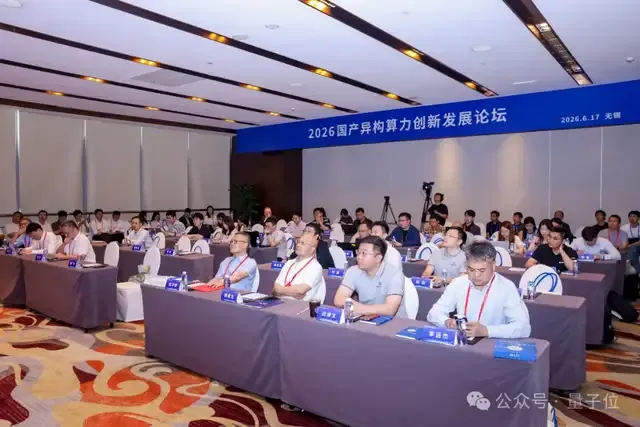
國產算力正在進入Token標準化時代
這篇消息聚焦「國產算力正在進入Token標準化時代」。原始導語提到:當前國產算力的瓶頸不在芯片本身,而在從異構算力到可用Token之間的工程化轉化能力。 從 AI 情報角度來看,這類內容值得關注其背後的技術進展、產品落地、產業競爭與後續市場影響。