OCRmyPDF 教學:掃描文件轉換為可搜尋 PDF/A 檔案,支援側車文字擷取與批次處理
重點摘要
本教學建構一套進階且自足的 OCRmyPDF 工作流程。我們首先安裝所需的系統與 Python 相依套件,接著建立一份僅含圖像的合成 PDF 以供掃描測試,無需依賴外部檔案即可驗證 OCR 效果。隨後,透過 OCRmyPDF 的正式公開 API,將掃描文件轉換為可搜尋 PDF、產生 PDF/A 輸出、擷取側車文字、驗證結果、比較檔案大小、調整 Tesseract 設定、清理雜訊掃描、處理已具 OCR 的文件、以 DPI 提示處理圖像、於記憶體中執行 OCR,以及批次處理多份 PDF。經由此流程,我們能理解 OCRmyPDF 如何成為一套實用的文件數位化管線,適用於歸檔、搜尋、文字擷取與自動化處理任務。
In this tutorial, we build an advanced, self-contained OCRmyPDF workflow. We start by installing the required system and Python dependencies, then create a synthetic image-only PDF for scanning so we can test OCR without relying on external files. From there, we use OCRmyPDF’s real public API to convert scanned documents into searchable PDFs, generate PDF/A outputs, extract sidecar text, validate the results, compare file sizes, tune Tesseract settings, clean noisy scans, handle already-OCRed files, process images with DPI hints, run OCR in memory, and batch-process multiple PDFs. Through this workflow, we understand how OCRmyPDF can serve as a practical document digitization pipeline for archival, search, extraction, and automated processing tasks. Installing OCRmyPDF System Dependencies Copy CodeCopiedUse a different Browserimport io import os import re import sys import time import shutil import logging import textwrap import subprocess from pathlib import Path INSTALL_JBIG2 = True def sh(cmd: str, check: bool = True) -> int: """Run a shell command, echo it, and show the tail of its output.""" print(f" $ {cmd}") r = subprocess.run(cmd, shell=True, text=True, stdout=subprocess.PIPE, stderr=subprocess.STDOUT) if r.stdout and r.stdout.strip(): for ln in r.stdout.strip().splitlines()[-12:]: print(" " + ln) if check and r.returncode != 0: raise RuntimeError(f"Command failed ({r.returncode}): {cmd}") return r.returncode def install_dependencies() -> None: """Install OCRmyPDF's system + Python dependencies for Colab/Ubuntu.""" apt_pkgs = ( "tesseract-ocr tesseract-ocr-eng tesseract-ocr-osd " "tesseract-ocr-deu tesseract-ocr-fra " "ghostscript unpaper pngquant poppler-utils qpdf" ) sh("apt-get update -qq", check=False) sh(f"DEBIAN_FRONTEND=noninteractive apt-get install -y -qq {apt_pkgs}") sh(f'"{sys.executable}" -m pip install -q --upgrade ocrmypdf img2pdf "pillow<12"') if INSTALL_JBIG2 and shutil.which("jbig2") is None: try: build_pkgs = ("autoconf automake libtool pkg-config " "libleptonica-dev zlib1g-dev build-essential git") sh(f"DEBIAN_FRONTEND=noninteractive apt-get install -y -qq {build_pkgs}") sh("rm -rf /tmp/jbig2enc && " "git clone -q https://github.com/agl/jbig2enc.git /tmp/jbig2enc") sh("cd /tmp/jbig2enc && ./autogen.sh >/dev/null 2>&1 && " "./configure >/dev/null 2>&1 && make -j2 >/dev/null 2>&1 && " "make install >/dev/null 2>&1 && ldconfig") print(" jbig2enc:", "installed" if shutil.which("jbig2") else "built, but binary not on PATH") except Exception as e: print(" jbig2enc build skipped (optional):", e) def ensure_installed() -> None: have_tools = bool(shutil.which("tesseract") and shutil.which("gs")) try: import ocrmypdf import img2pdf from PIL import Image have_py = True except Exception: have_py = False if have_tools and have_py: print("Dependencies already present — skipping installation.") else: print("Installing dependencies (first run can take a few minutes)...") install_dependencies() ensure_installed() We set up the complete OCRmyPDF environment for Google Colab by importing the required standard libraries and defining the installation workflow. We install system tools such as Tesseract, Ghostscript, unpaper, pngquant, poppler, and qpdf, along with Python packages like OCRmyPDF, img2pdf, and Pillow. We also optionally build jbig2enc so that advanced PDF optimization can produce smaller outputs for scanned documents. Loading OCRmyPDF and Building Synthetic Scans Copy CodeCopiedUse a different Browserdef _purge(*prefixes): for name in [m for m in list(sys.modules) if any(m == p or m.startswith(p + ".") for p in prefixes)]: del sys.modules[name] def _load_ocrmypdf(): _purge("PIL", "ocrmypdf") import ocrmypdf return ocrmypdf try: ocrmypdf = _load_ocrmypdf() except ImportError as e: if "_Ink" in str(e) or "PIL" in str(e): print("Repairing an incompatible Pillow (reinstalling pillow<12)...") sh(f'"{sys.executable}" -m pip install -q --force-reinstall "pillow<12"') try: ocrmypdf = _load_ocrmypdf() print("Pillow repaired — continuing without a restart.") except Exception: raise RuntimeError( "Pillow is still incompatible in this session. Use the Colab menu: " "Runtime > Restart session, then run this cell again." ) else: raise from ocrmypdf.exceptions import ( ExitCode, PriorOcrFoundError, EncryptedPdfError, MissingDependencyError, TaggedPDFError, DigitalSignatureError, DpiError, InputFileError, UnsupportedImageFormatError, ) from ocrmypdf.helpers import check_pdf from ocrmypdf.pdfa import file_claims_pdfa import img2pdf from PIL import Image, ImageDraw, ImageFont, ImageFilter logging.basicConfig(level=logging.WARNING, format="%(levelname)s: %(message)s") logging.getLogger("ocrmypdf").setLevel(logging.WARNING) logging.getLogger("pdfminer").setLevel(logging.ERROR) logging.getLogger("PIL").setLevel(logging.WARNING) SAMPLE_TEXT_PAGES = [ "Optical Character Recognition, commonly abbreviated as OCR, is the " "process of converting images of typed or printed text into machine " "encoded text. This page was generated as a synthetic scan so that the " "OCRmyPDF pipeline has something realistic to recognize and search.", "On 14 March 2026 the archive contained 1,482 pages across 37 folders. " "Roughly 92 percent of those pages were scanned at 200 to 300 dots per " "inch. The remaining 8 percent were skewed and required deskewing before " "any reliable recognition was possible.", "After OCRmyPDF finishes, the output is a searchable PDF/A file. You can " "select text, copy it, and run full text search across thousands of " "documents. The original image resolution is preserved while a hidden " "text layer is placed accurately underneath the page image.", ] def _find_font(): for cand in ( "/usr/share/fonts/truetype/dejavu/DejaVuSans.ttf", "/usr/share/fonts/truetype/liberation/LiberationSans-Regular.ttf", ): if os.path.exists(cand): return cand return None _FONT_PATH = _find_font() FONT = ImageFont.truetype(_FONT_PATH, 40) if _FONT_PATH else ImageFont.load_default() def _add_speckle(img, n=6000, dark=60): """Sprinkle light dark specks to imitate scanner noise (motivates --clean).""" import random px = img.load() w, h = img.size for _ in range(n): px[random.randint(0, w - 1), random.randint(0, h - 1)] = random.randint(0, dark) return img def render_page(text, skew=False): """Render one A4 page (1654x2339 px ≈ 200 DPI) of dark text on white.""" W, H = 1654, 2339 img = Image.new("L", (W, H), 255) draw = ImageDraw.Draw(img) draw.multiline_text((150, 180), textwrap.fill(text, width=58), fill=25, font=FONT, spacing=18) if skew: img = img.rotate(6, resample=Image.BICUBIC, expand=False, fillcolor=255) img = img.filter(ImageFilter.GaussianBlur(0.6)) img = _add_speckle(img) return img def build_scanned_pdf(pdf_path: Path, pages_text, skew_index=1): """Render pages to PNGs and wrap them losslessly into an image-only PDF.""" pngs = [] for i, text in enumerate(pages_text): img = render_page(text, skew=(i == skew_index)) p = pdf_path.parent / f"_pg_{pdf_path.stem}_{i}.png" img.save(p, format="PNG", dpi=(200, 200)) pngs.append(str(p)) with open(pdf_path, "wb") as f: f.write(img2pdf.convert(pngs)) for p in pngs: os.remove(p) return pdf_path def do_ocr(input_file, output_file, **kw): """Wrapper around ocrmypdf.ocr() that disables the progress bar and times it.""" kw.setdefault("progress_bar", False) t0 = time.perf_counter() rc = ocrmypdf.ocr(input_file, output_file, **kw) return rc, time.perf_counter() - t0 def tokens(s: str): return re.findall(r"[a-z0-9]+", s.lower()) def kb(path) -> str: return f"{Path(path).stat().st_size / 1024:,.1f} KB" def banner(title: str): line = "─" * 74 print(f"\n{line}\n {title}\n{line}") We safely load OCRmyPDF and repair Pillow compatibility issues if they appear in the Colab runtime. We import OCRmyPDF exceptions, PDF validation helpers, img2pdf, and Pillow utilities used throughout the tutorial. We also define the sample document text and helper functions for rendering synthetic scanned pages, adding scanner-like noise, building ima
Related
相關文章
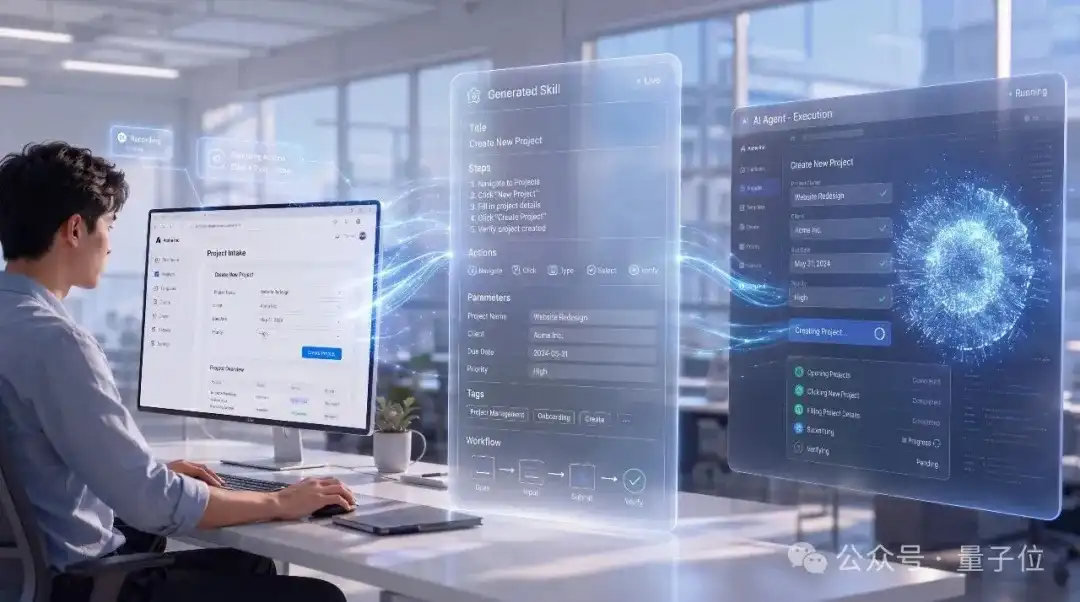
BrowserBC:克隆人類點擊,讓一次網頁操作轉化為所有Agent的能力
這篇消息聚焦「BrowserBC:克隆人類點擊,讓一次網頁操作轉化為所有Agent的能力」。原始導語提到:人類一次錄製,Agent就能模擬 從 AI 情報角度來看,這類內容值得關注其背後的技術進展、產品落地、產業競爭與後續市場影響。
Anthropic 測試手機端 Claude Cowork,支持遠程管理 AI 長任務
Anthropic 正在測試手機端的 Claude Cowork 功能,用戶可直接在手機上發起、調整和查看桌面端 AI 執行的長任務進度。這標誌著 AI 智能體正從桌面走向移動,實現跨設備協同,讓複雜工作流程管理更靈活。#AI 智能體# #Claude# #遠程辦公#
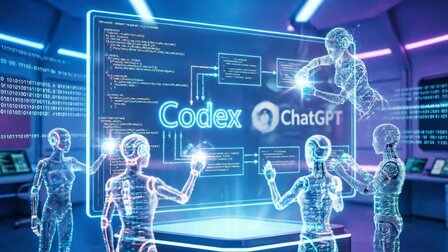
OpenAI最新報告:Codex取代ChatGPT,大神讓“Agent團隊”幹活
這篇消息聚焦「OpenAI最新報告:Codex取代ChatGPT,大神讓“Agent團隊”幹活」。原始導語提到:Agent如何改變工作? 從 AI 情報角度來看,這類內容值得關注其背後的技術進展、產品落地、產業競爭與後續市場影響。
《人工智能 智能體互聯》系列 7 項國家標準發佈:統一身份認證與交互協議破解“信息孤島”,百餘家企業已參與試點應用
市場監管總局等發佈《人工智能智能體互聯》7 項國家標準,為智能體建立統一身份認證與交互協議,旨在解決接口割裂、身份缺失導致的“信息孤島”問題。標準覆蓋從身份標識到工具調用的全鏈條,已有百餘家企業參與共建。這將推動 AI 從感知理解邁向自主協同的新階段。#人工智能##國家標準#

對話亞馬遜雲科技G2:當Agent拐點已至,平臺中立是最大底氣
這篇消息聚焦「對話亞馬遜雲科技G2:當Agent拐點已至,平臺中立是最大底氣」。原始導語提到:作為雲計算基礎設施領域的絕對王者,在Agent時代能否補齊模型和平臺的短板。 從 AI 情報角度來看,這類內容值得關注其背後的技術進展、產品落地、產業競爭與後續市場影響。
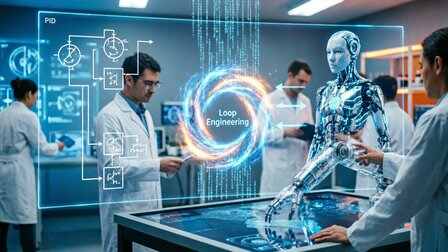
從控制模型到控制智能體,Loop Engineering成為新焦點
從 Prompt Engineering 到 Harness Engineering,再到 Loop Engineering,AI 工程的演進從來不是替代,是層層疊加的抽象升級。