RAG-Anything Tutorial: Build a Multimodal Retrieval Pipeline for Text, Tables, Equations, and Images in Colab
重點摘要
In this tutorial, we build a RAG-Anything workflow and use it to explore how multimodal retrieval works across text, tables, equations, and images.
根據 MarkTechPost AI 的原始內容,這篇消息聚焦「RAG-Anything Tutorial: Build a Multimodal Retrieval Pipeline for Text, Tables, Equations, and Images in Colab」。以下整理保留來源中的主要事實與脈絡。 In this tutorial, we build a RAG-Anything workflow and use it to explore how multimodal retrieval works across text, tables, equations, and images. We start by preparing the Colab environment, installing the required packages, and securely entering our OpenAI API key at runtime to keep the notebook practical and safe to run. We then create a synthetic multimodal report, generate a chart and PDF, convert the content into RAG-Anything’s direct content_list format, and insert it into the retrieval system. As we move through the tutorial, we configure clean OpenAI-based chat, vision, and embedding functions, initialize RAG-Anything, and test different retrieval modes such as naive, local, global, and hybrid. Installing RAG-Anything Dependencies Copy CodeCopiedUse a different Browserimport os import re import sys import json import time import shutil import hashlib import asyncio import inspect import getpass import subprocess import importlib import importlib.metadata from pathlib import Path from typing import List, Dict, Any def run_shell(cmd, check=True): print(f"\n$ {cmd}") result = subprocess.run(cmd, shell=True, text=True) if check and result.returncode != 0: raise RuntimeError(f"Command failed: {cmd}") return result.returncode print("=" * 80) print("RAG-Anything Advanced Colab Tutorial") print("=" * 80) print("\n[1/10] Installing dependencies...") for module_name in list(sys.modules): if module_name == "PIL" or module_name.startswith("PIL."): del sys.modules[module_name] run_shell( 'pip -q install -U ' '"raganything[image,text]" ' '"openai>=1.0.0" ' '"python-dotenv" ' '"reportlab" ' '"pandas" ' '"matplotlib" ' '"tabulate"' ) run_shell('pip -q install --no-cache-dir --force-reinstall "pillow==11.3.0"') for module_name in list(sys.modules): if module_name == "PIL" or module_name.startswith("PIL."): del sys.modules[module_name] importlib.invalidate_caches() try: print("Pillow version:", importlib.metadata.version("Pillow")) except Exception as e: print("Could not read Pillow version:", repr(e)) print("\n[2/10] Importing libraries...") import numpy as np import pandas as pd import matplotlib.pyplot as plt from IPython.display import display from reportlab.lib.pagesizes import letter from reportlab.pdfgen import canvas from reportlab.lib.units import inch from openai import AsyncOpenAI from raganything import RAGAnything, RAGAnythingConfig from lightrag.utils import EmbeddingFunc print("Imports successful.") We begin by setting up the complete Colab environment for the RAG-Anything workflow. We install the required libraries, repair the Pillow dependency, and import all the modules needed for plotting, PDF creation, OpenAI access, and RAG-Anything. We also define a reusable shell helper so the setup remains clear and easy to rerun. Configuring Directories, Runtime Variables Copy CodeCopiedUse a different Browserprint("\n[3/10] Preparing directories and runtime settings...") BASE_DIR = Path("/content/raganything_advanced_tutorial") if Path("/content").exists() else Path.cwd() / "raganything_advanced_tutorial" ASSET_DIR = BASE_DIR / "assets" OUTPUT_DIR = BASE_DIR / "output" WORKING_DIR = BASE_DIR / "rag_storage" LOG_DIR = BASE_DIR / "logs" RESET_STORAGE = True RUN_FULL_DOCUMENT_PARSE = False PARSER_FOR_FULL_PARSE = "mineru" PARSE_METHOD = "auto" for d in [BASE_DIR, ASSET_DIR, OUTPUT_DIR, WORKING_DIR, LOG_DIR]: d.mkdir(parents=True, exist_ok=True) if RESET_STORAGE and WORKING_DIR.exists(): shutil.rmtree(WORKING_DIR) WORKING_DIR.mkdir(parents=True, exist_ok=True) os.environ["LOG_DIR"] = str(LOG_DIR) os.environ["SUMMARY_LANGUAGE"] = "English" os.environ["ENABLE_LLM_CACHE"] = "false" os.environ["ENABLE_LLM_CACHE_FOR_EXTRACT"] = "false" os.environ["MAX_ASYNC"] = "2" os.environ["CHUNK_SIZE"] = "900" os.environ["CHUNK_OVERLAP_SIZE"] = "120" os.environ["TIMEOUT"] = "240" for var in [ "OPENAI_API_KEY", "OPENAI_ORG_ID", "OPENAI_ORGANIZATION", "OPENAI_PROJECT", "OPENAI_DEFAULT_HEADERS", "LLM_BINDING_API_KEY", "LLM_BINDING_HOST", ]: os.environ.pop(var, None) print(f"Base directory: {BASE_DIR}") print(f"Assets directory: {ASSET_DIR}") print(f"Storage directory: {WORKING_DIR}") print("\n[4/10] Entering OpenAI API key securely...") def clean_api_key(raw_value: str) -> str: raw_value = str(raw_value or "").strip() raw_value = raw_value.replace("Bearer ", "").replace("bearer ", "").strip() raw_value = raw_value.strip("'").strip('"').strip("`").strip() if "=" in raw_value: raw_value = raw_value.split("=", 1)[1].strip().strip("'").strip('"').strip("`") raw_value = re.sub(r"\s+", "", raw_value) raw_value = raw_value.encode("ascii", errors="ignore").decode("ascii").strip() return raw_value OPENAI_API_KEY_RAW = getpass.getpass("Paste your OpenAI API key here. Input is hidden: ") OPENAI_API_KEY = clean_api_key(OPENAI_API_KEY_RAW) if not OPENAI_API_KEY: raise ValueError( "No API key was captured. Paste the key into the hidden input box and press Enter." ) print("Captured key length:", len(OPENAI_API_KEY)) print("Captured key prefix:", OPENAI_API_KEY[:12] + "...") print("Captured key suffix:", "..." + OPENAI_API_KEY[-6:]) LLM_MODEL = "gpt-4o-mini" VISION_MODEL = "gpt-4o-mini" EMBEDDING_MODEL = "text-embedding-3-small" EMBEDDING_DIM = 1536 openai_client = AsyncOpenAI(api_key=OPENAI_API_KEY) os.environ["LLM_MODEL"] = LLM_MODEL os.environ["VISION_MODEL"] = VISION_MODEL os.environ["EMBEDDING_MODEL"] = EMBEDDING_MODEL os.environ["EMBEDDING_DIM"] = str(EMBEDDING_DIM) print("Testing OpenAI chat API with the captured key...") try: test_response = await openai_client.chat.completions.create( model=LLM_MODEL, messages=[{"role": "user", "content": "Reply with exactly: ok"}], temperature=0, ) print("Chat API test response:", test_response.choices[0].message.content) except Exception as e: raise RuntimeError( "The key was captured, but OpenAI rejected the request or the account/model access failed.
Related
相關文章

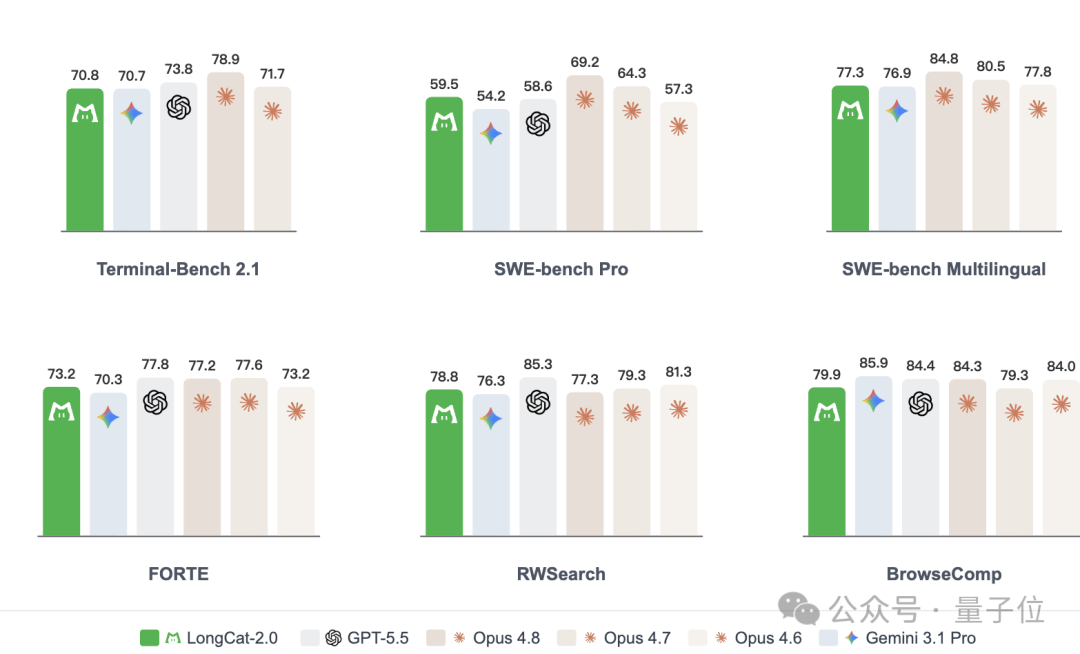
美團發佈「零英偉達」萬億大模型,「國芯+國模」徹底跑通了?
這篇消息聚焦「美團發佈「零英偉達」萬億大模型,「國芯+國模」徹底跑通了?」。原始導語提到:中國AI企業繞開“英偉達”,是否將成為一種常態? 從 AI 情報角度來看,這類內容值得關注其背後的技術進展、產品落地、產業競爭與後續市場影響。
全球首個英偉達含量為0的萬億模型,成了海外開發者的搶手貨
這篇消息聚焦「全球首個英偉達含量為0的萬億模型,成了海外開發者的搶手貨」。原始導語提到:霸榜OpenR ou 從 AI 情報角度來看,這類內容值得關注其背後的技術進展、產品落地、產業競爭與後續市場影響。

葡萄牙發佈首個歐洲葡語開源大語言模型 AMALIA
這篇消息聚焦「葡萄牙發佈首個歐洲葡語開源大語言模型 AMALIA」。原始導語提到:AMALIA 模型由來自葡萄牙多家學術機構的 60 餘位研究人員歷時 18 個月開發而成,目前提供具備多模態能力的 9B 版本,後續還將新增 22B 版本。 從 AI 情報角度來看,這類內容值得關注其背後的技術進展、產品落地、產業競爭與後續市場影響。
Google Health API 有了 CLI:ghealth 是專為 Fitbit 資料設計的開源工具
Google Health API 是 Fitbit Web API 的官方後繼者,它鎖定 Google Health API v4,並讓開發者遷移至 Google OAuth 2.0。現在,一款名為 ghealth 的開源 CLI 命令列工具將該 API 包裝起來,適用於終端機與 AI 代理。該工具是單一的 Go 二進位檔,採用 Apache 2.0 授權。它將 40 種經過驗證的資料類型以結構化 JSON 形式呈現,讓你能將睡眠、心率與步數資料直接導入代理的上下文。什麼是 ghealth?ghealth 是 Google Health API v4 的包裝工具。你可以透過 go build -o ghealth . 從原始碼建置,產出一個自包含的二進位檔。該工具明確以代理為優先,每個指令都會回傳形狀穩定的簡化 JSON。此外,它還提供確定性錯誤碼、--dry-run 旗標與 --raw 旗標。
支付寶“阿寶”公測開啟:告別菜單跳轉,進入“對話式”辦事新時代
支付寶旗下AI助手“螞蟻阿寶”開啟公測,用戶可通過搜索“阿寶”或右滑進入對話界面體驗。作為支付寶從傳統陳列式交互向對話式服務升級的核心,阿寶以極簡對話框提供直觀高效的智能服務。
蘋果 Safari 預覽版新增 MCP 服務,AI 智能體助力網頁開發調試
7月1日,蘋果WebKit團隊在Safari技術預覽版247中上線MCP服務器,通過AI智能體簡化前端開發與調試。MCP即模型上下文協議,開放標準,可讓AI智能體對接工具和數據庫,實現讀寫與授權,打通AI開發數據通道。