How to Fine-Tune LFM2 Using QLoRA and DPO: A Complete Step-by-Step Coding Tutorial on Google Colab
重點摘要
In this tutorial, we fine-tune Liquid AI’s LFM2 model through a complete open-source workflow. We start by loading the base LFM2 checkpoint with QLoRA, preparing a chat-style supervised fine-tuning dataset, training a lightweight LoRA adapter using TRL and PEFT, and then merging the adapter back into the model. We also extend the workflow with DPO to show how we can improve response preference using chosen and rejected answers. At the end, we have a practical pipeline that moves from a base LFM2 model to an SFT-tuned, preference-aligned checkpoint, ready for further testing or deployment. Copy CodeCopiedUse a different Browser!pip install -q -U "transformers>=4.55" "trl>=0.12" "peft>=0.13" "datasets>=2.20" "accelerate>=0.34" bitsandbytes import torch, gc from datasets import load_dataset,
In this tutorial, we fine-tune Liquid AI’s LFM2 model through a complete open-source workflow. We start by loading the base LFM2 checkpoint with QLoRA, preparing a chat-style supervised fine-tuning dataset, training a lightweight LoRA adapter using TRL and PEFT, and then merging the adapter back into the model. We also extend the workflow with DPO to show how we can improve response preference using chosen and rejected answers. At the end, we have a practical pipeline that moves from a base LFM2 model to an SFT-tuned, preference-aligned checkpoint, ready for further testing or deployment. Copy CodeCopiedUse a different Browser!pip install -q -U "transformers>=4.55" "trl>=0.12" "peft>=0.13" "datasets>=2.20" "accelerate>=0.34" bitsandbytes import torch, gc from datasets import load_dataset, Dataset from transformers import AutoModelForCausalLM, AutoTokenizer, BitsAndBytesConfig from peft import LoraConfig, PeftModel, prepare_model_for_kbit_training from trl import SFTConfig, SFTTrainer, DPOConfig, DPOTrainer MODEL_ID = "LiquidAI/LFM2-1.2B" USE_4BIT = True RUN_DPO = True SFT_SAMPLES = 500 SFT_STEPS = 60 DPO_STEPS = 40 MAX_LEN = 1024 BF16 = torch.cuda.is_available() and torch.cuda.is_bf16_supported() DTYPE = torch.bfloat16 if BF16 else torch.float16 assert torch.cuda.is_available(), "No GPU detected — set Runtime > Change runtime type > GPU" print(f"GPU: {torch.cuda.get_device_name(0)} | dtype={DTYPE} | 4bit={USE_4BIT}") We install all the required libraries for fine-tuning LFM2 inside Google Colab. We import the core tools from Transformers, TRL, PEFT, datasets, bitsandbytes, and PyTorch. We also define the main training settings, detect available GPUs, and select the appropriate precision for efficient training. Copy CodeCopiedUse a different Browserdef load_base(four_bit: bool): quant_cfg = None if four_bit: quant_cfg = BitsAndBytesConfig( load_in_4bit=True, bnb_4bit_quant_type="nf4", bnb_4bit_use_double_quant=True, bnb_4bit_compute_dtype=DTYPE, ) model = AutoModelForCausalLM.from_pretrained( MODEL_ID, device_map="auto", dtype=DTYPE, quantization_config=quant_cfg, ) model.config.use_cache = False return model tokenizer = AutoTokenizer.from_pretrained(MODEL_ID) if tokenizer.pad_token is None: tokenizer.pad_token = tokenizer.eos_token model = load_base(USE_4BIT) @torch.no_grad() def chat(m, user_msg, system=None, max_new_tokens=200): msgs = ([{"role": "system", "content": system}] if system else []) + \ [{"role": "user", "content": user_msg}] inputs = tokenizer.apply_chat_template( msgs, add_generation_prompt=True, return_tensors="pt", tokenize=True, return_dict=True, ).to(m.device) m.config.use_cache = True out = m.generate( **inputs, max_new_tokens=max_new_tokens, do_sample=True, temperature=0.3, min_p=0.15, repetition_penalty=1.05, pad_token_id=tokenizer.pad_token_id, ) m.config.use_cache = False prompt_len = inputs["input_ids"].shape[-1] return tokenizer.decode(out[0, prompt_len:], skip_special_tokens=True) PROBE = "Explain what makes the LFM2 architecture good for on-device AI, in 2 sentences." print("\n=== BASELINE (before fine-tuning) ===\n", chat(model, PROBE)) We load the LFM2 base model with optional 4-bit quantization to reduce GPU memory usage. We prepare the tokenizer, set the padding token, and define a chat function for testing model responses. We then run a baseline prompt to compare the model’s behavior before and after fine-tuning. Copy CodeCopiedUse a different Browsersft_ds = load_dataset("HuggingFaceTB/smoltalk", "all", split=f"train[:{SFT_SAMPLES}]") sft_ds = sft_ds.select_columns(["messages"]) print("\nSFT example messages:", sft_ds[0]["messages"][:2]) lora_sft = LoraConfig( r=16, lora_alpha=32, lora_dropout=0.05, bias="none", task_type="CAUSAL_LM", target_modules="all-linear", ) sft_cfg = SFTConfig( output_dir="outputs/sft/lfm2_demo", max_length=MAX_LEN, per_device_train_batch_size=2, gradient_accumulation_steps=4, learning_rate=2e-5, warmup_ratio=0.03, lr_scheduler_type="cosine", max_steps=SFT_STEPS, logging_steps=10, save_strategy="no", gradient_checkpointing=True, gradient_checkpointing_kwargs={"use_reentrant": False}, bf16=BF16, fp16=not BF16, optim="paged_adamw_8bit" if USE_4BIT else "adamw_torch", packing=False, report_to="none", ) sft_trainer = SFTTrainer( model=model, args=sft_cfg, train_dataset=sft_ds, peft_config=lora_sft, processing_class=tokenizer, ) sft_trainer.train() sft_trainer.save_model("outputs/sft/lfm2_adapter") print("\n=== AFTER SFT ===\n", chat(sft_trainer.model, PROBE)) We load a chat-formatted supervised fine-tuning dataset and keep only the messages column. We configure LoRA for lightweight adapter-based training and define the SFT training settings. We then train the model with SFT, save the LoRA adapter, and test the improved model response. Copy CodeCopiedUse a different Browserdel sft_trainer, model gc.collect(); torch.cuda.empty_cache() base_fp16 = AutoModelForCausalLM.from_pretrained(MODEL_ID, device_map="auto", dtype=DTYPE) sft_merged = PeftModel.from_pretrained(base_fp16, "outputs/sft/lfm2_adapter").merge_and_unload() sft_merged.save_pretrained("outputs/sft/lfm2_merged") tokenizer.save_pretrained("outputs/sft/lfm2_merged") print("Merged SFT model saved -> outputs/sft/lfm2_merged") We clear the earlier training objects from memory to free GPU resources. We reload the base LFM2 model in fp16 or bf16 and attach the trained SFT LoRA adapter. We then merge the adapter into the base model and save the merged SFT checkpoint for the next stage. Copy CodeCopiedUse a different Browserif RUN_DPO: pref_rows = [ {"prompt": [{"role": "user", "content": "Reply to a customer whose order is late."}], "chosen": [{"role": "assistant", "content": "I'm sorry your order is delayed. I've checked your tracking and it will arrive within 2 days — here's a 10% credit for the inconvenience."}], "rejected":[{"role": "assistant", "content": "Orders are sometimes late. Please wait."}]}, {"prompt": [{"role": "user", "content": "Summarize the benefit of edge AI in one line."}], "chosen": [{"role": "assistant", "content": "Edge AI runs models locally, giving low latency, offline reliability, and stronger privacy."}], "rejected":[{"role": "assistant", "content": "Edge AI is AI on the edge of things and it is good."}]}, {"prompt": [{"role": "user", "content": "Decline a meeting politely."}], "chosen": [{"role": "assistant", "content": "Thanks for the invite — I have a conflict then. Could we find another slot this week?"}], "rejected":[{"role": "assistant", "content": "No."}]}, ] * 20 pref_ds = Dataset.from_list(pref_rows) lora_dpo = LoraConfig(r=16, lora_alpha=32, lora_dropout=0.05, bias="none", task_type="CAUSAL_LM", target_modules="all-linear") dpo_cfg = DPOConfig( output_dir="outputs/dpo/lfm2_demo", per_device_train_batch_size=1, gradient_accumulation_steps=4, learning_rate=5e-6, beta=0.1, max_length=MAX_LEN, max_prompt_length=512, max_steps=DPO_STEPS, logging_steps=10, save_strategy="no", gradient_checkpointing=True, gradient_checkpointing_kwargs={"use_reentrant": False}, bf16=BF16, fp16=not BF16, report_to="none", ) dpo_trainer = DPOTrainer( model=sft_merged, ref_model=None, args=dpo_cfg, train_dataset=pref_ds, processing_class=tokenizer, peft_config=lora_dpo, ) dpo_trainer.train() final = dpo_trainer.model.merge_and_unload() final.save_pretrained("outputs/final/lfm2_sft_dpo") tokenizer.save_pretrained("outputs/final/lfm2_sft_dpo") print("\n=== AFTER SFT + DPO ===\n", chat(dpo_trainer.model, PROBE)) print("Final model saved -> outputs/final/lfm2_sft_dpo") print("\nDone. Compare the BASELINE vs AFTER-SFT(+DPO) outputs above.") We optionally run DPO using prompt-chosen-and-rejected response pairs. We configure another LoRA adapter for preference tuning and train the SFT-merged model with DPO. We finally merge the DPO adapter, save the final model checkpoint, and compare the result against earlier outputs. In conclusion, we built a full fine-tuning pipeline for LFM2 using only open-source tools, including Transformers, TRL, PE
Related
相關文章
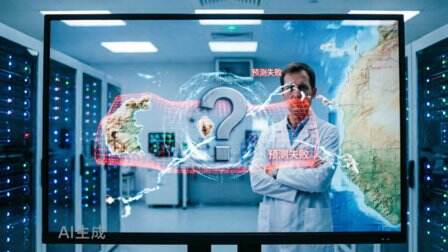
AI預測不了“佛得角”
AI預測模型在世界盃足球賽預測中集體失準,特別是對非洲隊伍「佛得角」的表現完全錯估,凸顯大模型在面臨動態不確定性與非主流聯賽數據不足時的脆弱性。這場預測翻車事件引發外界對AI可信度的質疑,也促使科技公司反思如何修正模型,導入即時動態資訊以提升預測準確度。

智能家居終於“智能”了!有記憶、能認人的“賈維斯”,小米先交卷了
{"id":"bfc7e789-db52-4597-89dc-85a30161bd27","object":"response","model":"deepseek-v4-flash","output":[],"stop_reason":"max_output_tokens","usage":{"input_tokens":158,"output_tokens":1400,"total_to...
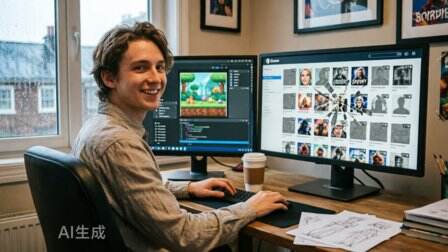
AI 讓獨立遊戲更容易做出來,也更容易死在 Steam 裡
AI 降低了獨立遊戲的生產門檻,也放大了 Steam 供給過剩和玩家信任危機。獨立遊戲的競爭,正在從“能不能做出來”,轉向“能不能被看見、被相信、被持續選擇”。當工具讓內容越來越容易生成,真正稀缺的反而是人的表達、真實反饋、發行篩選與社區信任。
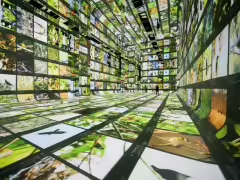
全球首個 AI 藝術博物館:谷歌協力打造,生成 12 億像素超現實畫面
谷歌昨日(6 月 18 日)發佈博文,宣佈攜手藝術家 Refik Anadol,在洛杉磯打造全球首個 AI 藝術博物館 Dataland,將於明日(6 月 20 日)開館。
八部門聯合發文力推“人工智能 + 消費”,擴大 AI 手機電腦及智能網聯汽車消費
商務部等八部門聯合印發《關於加快“人工智能 + 消費”發展的實施意見》,提出 5 方面 17 條舉措,旨在擴大智能產品消費、賦能服務消費、創新消費場景。政策將推動人工智能與消費深度融合,促進 AI 進千家萬戶。#人工智能消費新政##AI 手機電腦##智能網聯汽車#
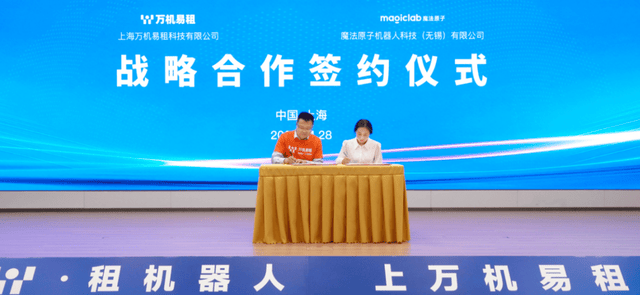
魔法原子牽手萬機易租,全棧產品入駐2.0平臺共建租賃生態
這篇消息聚焦「魔法原子牽手萬機易租,全棧產品入駐2.0平臺共建租賃生態」。原始導語提到:全系產品入駐萬機易租2.0 從 AI 情報角度來看,這類內容值得關注其背後的技術進展、產品落地、產業競爭與後續市場影響。