從 Hugging Face 一鍵直達 Amazon SageMaker Studio
重點摘要
今日我們宣佈 Hugging Face 與 Amazon SageMaker AI 深度連結整合。開發者現在只需一次點擊,即可從模型探索直接進入 SageMaker Studio 進行實作實驗。無論是從 Amazon SageMaker JumpStart 微調基礎模型 (FM),或是將其部署至 Amazon SageMaker Inference 端點,都能直接跳轉至對應的 SageMaker Studio 工作流程。選定的模型會預先載入,環境也已完成配置,可立即使用。過去在 Hugging Face 發現模型後,若要於 SageMaker Studio 開始使用,需經歷多個步驟;如今流程大幅簡化。
Back to Articles From Hugging Face to Amazon SageMaker Studio in one click Enterprise Article Published July 7, 2026 Upvote - Hazim Qudah hqudah Follow amazon Today, we’re excited to announce a deep-link integration between Hugging Face and Amazon SageMaker AI.
Developers can now go from model discovery to hands-on experimentation in SageMaker Studio with a single selection.
Whether you fine-tune a foundation model (FM) from Amazon SageMaker JumpStart or deploy it to an Amazon SageMaker Inference endpoint, you can now land directly inside the relevant SageMaker Studio workflow.Your selected model is pre-loaded, and the environment is fully configured and ready to go.
Previously, getting started on SageMaker Studio after discovering a model on Hugging Face required navigating multiple steps between opening Amazon SageMaker AI in the AWS Console, creating a domain, configuring IAM permissions, and sometimes requesting GPU quota.
For developers who want to iterate quickly, this friction slows down the path from inspiration to experimentation.The integration creates a more direct path from discovery to enterprise deployment.
“At Arcee, we build open models so developers and enterprises can actually own what they run: inspect the weights, post-train on their own data, and deploy on their own terms.This integration takes that promise the last mile.
Going from an open model on Hugging Face straight into SageMaker Studio in a single click, then fine-tuning or deploying it inside your own AWS environment with nothing to wire up, is the kind of experience open models have been missing.Open weights you own, running in the cloud you control.
That is exactly the combination our customers have been asking for.
” — Mark McQuade, Founder and CEO, Arcee AI With the launch of a one-click Studio landing experience, choosing Customize on SageMaker AI or Deploy on SageMaker AI on a supported Hugging Face model page takes you directly to the console.
SageMaker AI then automatically provisions a new domain with pre-configured permissions in seconds and carries the model context through.What’s new This launch introduces three capabilities that shorten the path from a Hugging Face model to a working SageMaker Studio workflow.
Deep links from Hugging Face into SageMaker Studio When you browse models on Hugging Face, you’ll now see action buttons alongside supported models that map directly to SageMaker Studio workflows: Customize on SageMaker AI opens the Model Customization page in Studio with the selected model pre-loaded, ready to fine-tune.
Deploy on SageMaker AI opens the Deployment page in Studio with the model pre-configured for endpoint deployment.Each entry point preserves the context, meaning you don’t need to search for the model again once inside Studio.
Pre-configured permissions New Studio environments created through this flow come with permissions already configured for the full range of SageMaker AI capabilities, including model customization, training jobs, notebook experimentation, and endpoint deployment.
A new managed policy, AmazonSageMakerModelCustomizationCoreAccess, is created and attached for you.
It provides permissions for serverless model customization jobs using supervised fine-tuning (SFT), direct preference optimization (DPO), reinforcement learning with verifiable rewards (RLVR), and reinforcement learning from AI feedback (RLAIF), with supported deployment to SageMaker AI or Amazon Bedrock endpoints.
This alleviates the need to manually create and configure AWS Identity and Access Management (IAM) roles and policies before you can start experimenting.For existing Studio environments, actionable messages with direct links to documentation guide you through adding these permissions.
GPU quota visibility When selecting instance types for deployment or training, the Studio UI now surfaces quota availability directly in the instance selection list.You can immediately see which GPU instance types (G5, G6) are available under your account’s current limits.
You don’t need to navigate separately to Service Quotas.If you still need to request a limit increase, you’re redirected directly to the Service Quotas page for the respective instance type.
Walkthrough: Deep-linking from Hugging Face to SageMaker Studio Let’s walk through the experience of customizing or deploying a model starting from Hugging Face.Step 1: Discover and select On the Hugging Face model page, click on “Deploy” and select “Amazon SageMaker AI”.
If the model is supported, you will see two buttons, “Deploy on SageMaker AI” and “Customize on SageMaker AI”.Then select “Customize on SageMaker AI” for a supported model.Step 2: Sign in You’re prompted to sign in to AWS using your existing credentials.
If you already have an active console session, this step is skipped automatically.For more information, see Sign in to the AWS Management Console.Step 3: Land in Studio You arrive directly on the Model Customization page inside SageMaker Studio with your model pre-selected.
Next, configure your fine-tuning parameters such as training data, hyperparameters, and instance type, then submit the customization job.Alternatively, selecting Deploy on SageMaker AI opens the endpoint deployment page in Studio with the model pre-configured.
Select your instance type (quota visibility included), review the settings, and deploy.Step 4: Test your endpoint After you deploy your endpoint, test inference directly from Studio’s endpoint testing interface.Getting started You can try this experience today: Browse models on Hugging Face.
Look for the Customize on SageMaker AI or Deploy on SageMaker AI buttons on supported models.Select and follow the streamlined sign-in flow.Start building in a fully configured SageMaker Studio environment.
Conclusion The launch of a one-click Studio landing experience minimizes the friction between discovering a model and experimenting with it.By connecting Hugging Face directly to the SageMaker Studio workflows, developers can stay in their flow.
There’s no context switching, no manual environment setup, and no permission troubleshooting.To get started, visit the Amazon SageMaker Studio page or explore models on Hugging Face and choose Deploy or Customize on SageMaker AI.
More from this author From the Hugging Face Hub to robot hardware with Strands Agents and LeRobot 16 June 17, 2026 Building Blocks for Foundation Model Training and Inference on AWS 24 May 11, 2026 Community EditPreview Upload images, audio, and videos by dragging in the text input, pasting, or clicking here.
Tap or paste here to upload images Comment · Sign up or log in to comment Upvote -
Related
相關文章

當 human in the loop 變成“閉著眼睛點確認”,企業Agent 安全還能靠誰?
專家指出,AI Agent 從內容安全轉向行為安全,提示詞注入、工具濫用與過度授權成為主要風險。企業應建立可視、可管、可追溯的安全基線,並對工具權限進行最小化與臨時化管理,避免 human in the loop 淪為形式。安全防護需從靜態入口轉向動態行為約束,以因應 Agent 自主執行帶來的全新挑戰。

開源Agent框架刷爆ARC-AGI-3,「自我改進」的RLM harness引爭議
一套開源Agent框架在ARC-AGI-3基準測試中創下超過85%的正確率,大幅領先其他解決方案,其核心是名為「RLM harness」的自我改進機制。然而,該方法引發學術爭議,部分研究者批評它透過反覆試錯「鑽漏洞」,不符合ARC-AGI評測一次性推理的精神。這場討論促使AI社群重新審視評測標準,並可能影響未來ARC-AGI版本的設計方向。

騰訊是在“賽馬”,還是在打造 “Agent工廠”?
騰訊內部正在探討其發展策略究竟是「賽馬」機制還是打造「Agent工廠」。相關討論聚焦於公司如何平衡內部競爭與統一平台建設。目前站內已移除相關混雜文字,保留原始主題供讀者參考。
ChinaJoy 2026 AI遊戲規模化落地,邊緣雲與API安全重構產業底層邏輯
2026年ChinaJoy展館,“與AI同遊”的主題隨處可見。行業調查顯示,僅有21%的企業擁有完整的API資產清單,大量後臺AI接口仍在無人監控的狀態下裸奔。合規與安全也同步下沉。算力下沉還不夠,API安全必須同步前移邊緣雲解決了體驗問題,但AI交互入口的安全,同樣需要前置到邊緣。算力與安全,缺一不可Akamai的判斷很明確:遊戲AI轉型不能割裂算力與安全。這也是遊戲廠商規模化落地AI智能體、構建AI原生遊戲的標準化底層方案。
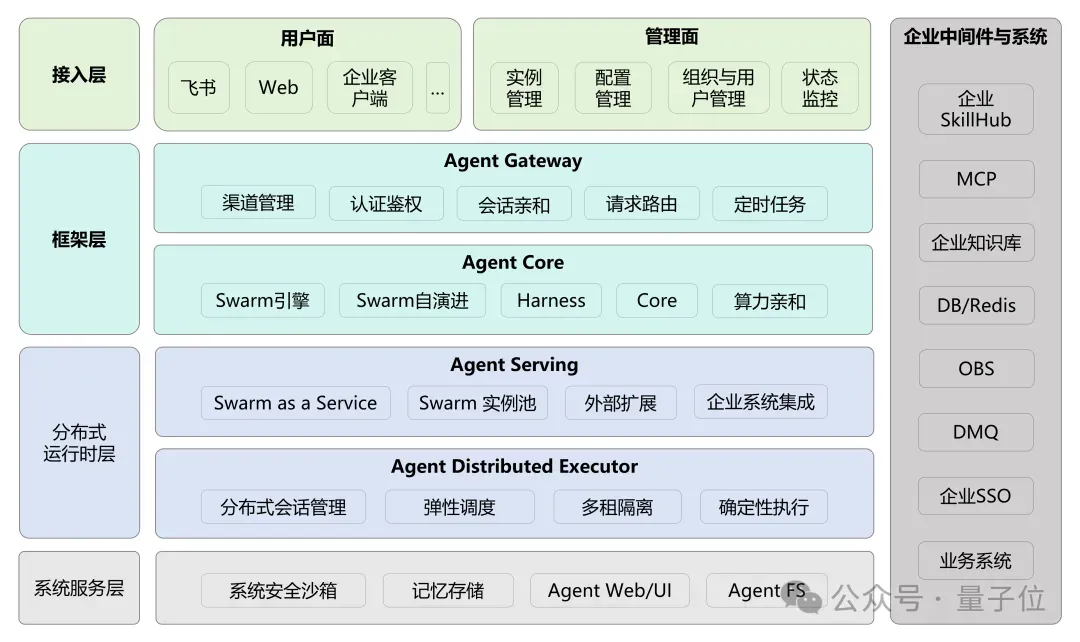
openJiuwen發佈業界首個企業級分佈式蜂群架構,聯合郵儲成功落地金融生產環境
< img id="wx_img" src="https://www.qbitai.com/wp-content/uploads/imgs/qbitai-logo-1.

螞蟻集團開源Avernet,讓人與智能體像組織一樣高效協作
**螞蟻集團開源Avernet:打造人與智能體高效協作的“組織級”基礎設施** **來源:量子位** **2026-08-07 11:08:51** 近日,螞蟻集團正式宣佈開源多智能體協作基礎設施Avernet,其社區版本已同步上線。作為業界首個聚焦於“組織級協作”的智能體基礎設施,Avernet的首個版本重點開放了智能體協作網絡能力,旨在支持不同智能體之間的發現、共識達成、跨團隊協作與治理,為人工智能從“單點智能”走向“系統智能”提供關鍵支撐。